



Pic-Time is paying us for this post, and the links in it are our referral links. We’ve used Pic-Time for our galleries since 2019. We originally moved for the sales tools.
We haven’t written a blog post since 2024. Guilty 😅
Our photos have had it even worse. Some of our favorite frames have been sitting in delivered galleries for years, and nobody has looked at them since the couple downloaded them. We have 1.2TB of photos in there. It’s a mess, and digging through old galleries one at a time is such a pain that it never happens.
So when Pic-Time launched Content Studio, a way to search every gallery at once, we wanted to see if it could finally help us find those photos and put them to work.
Below is what we found, what works, what doesn’t yet, and how we’d set it up so you never have to dig through old galleries again.
Jump to:
- Why your old photos matter
- The 20-minute portfolio check
- What is Pic-Time Content Studio?
- We tried it: 1,946 veils on one screen
- How to use it: one collection for each content pillar
- Do it before engagement season
- Our honest take, and who should skip it
- Pic-Time’s Black Friday deal
Why Your Old Photos Matter
Your couple has to be able to picture themselves in your photos, your feed and your work.
If you want more weddings in Italy, or couples who care about fashion, or small dinners by a lake, that’s what your Instagram and your website need to show. A couple can’t hire you for something they’ve never seen you do.
The problem is that most of us post whatever we shot last. Over time, the feed ends up showing where you’ve been instead of where you want to go.
When we went from 44 weddings a year to 8, the portfolio changed before the price did. We started showing the weddings we wanted more of, and raising the price came last.
The 20-Minute Portfolio Check
You can do this today with any gallery host.
- Write down 3 kinds of weddings you want more of next year. Be specific. “Luxury” is too broad, but “two-day weddings in Europe with under 60 guests” is something you can actually look for.
- Go through your old galleries and pull every photo that fits. Any wedding, any year.
- Look at your last 9 posts. Count how many fit.
If it’s 2 out of 9, you probably don’t need a styled shoot. You need the right photos out of your old galleries, and step 2 is where most of us get stuck. It’s where we always got stuck.
What Is Pic-Time Content Studio?
Content Studio is a new tool inside Pic-Time, on the Professional and Advanced plans. Here’s what it does:
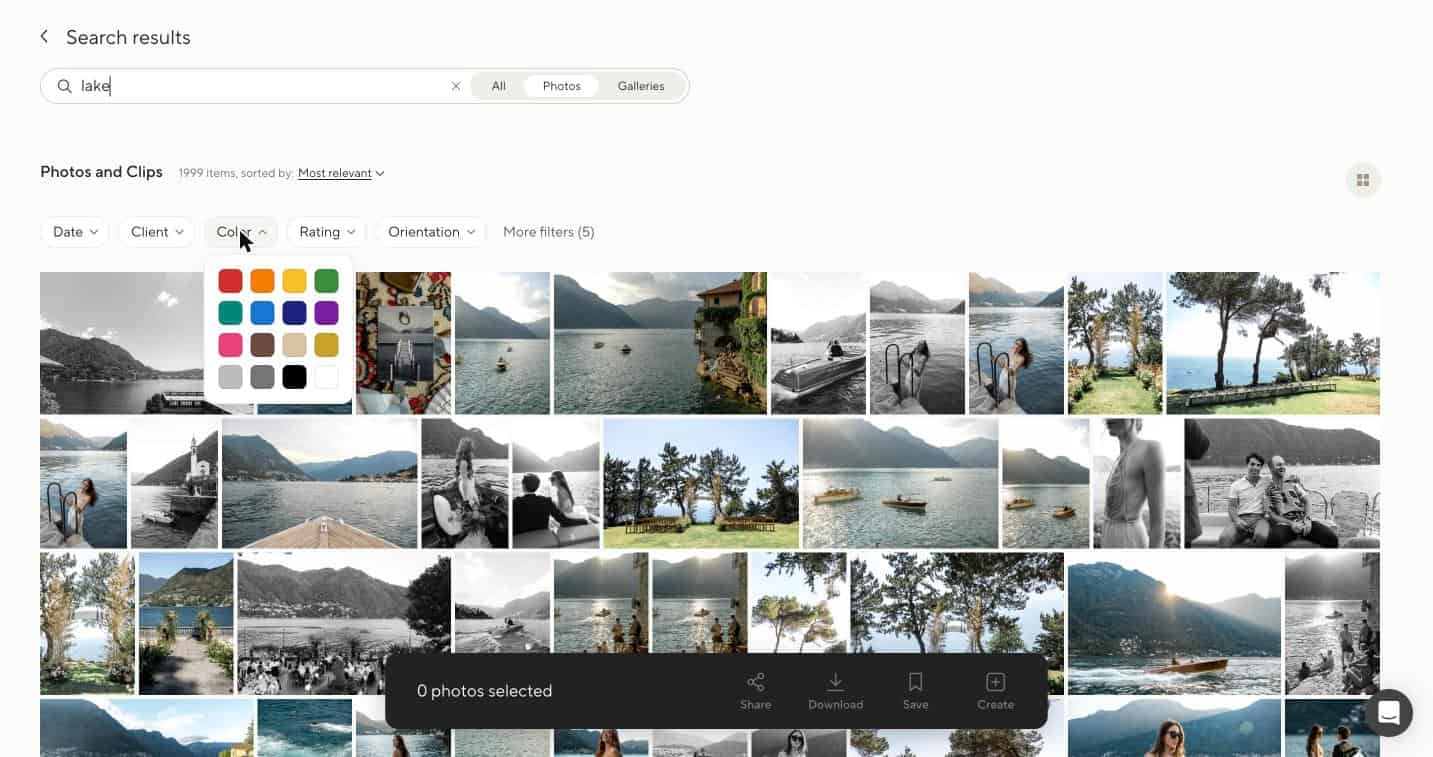
- AI search across all your galleries. Type a word like “veil” or “running” and it searches your whole account at once. You can also search by color and filter by gallery details.
- Collections. Save your picks into an online folder, with photos from as many weddings as you want.
- Reels, slideshows and blog posts. Pick a template, put the photos in order, set your colors and speed, and sync it to music.
- Easy sharing. Download it, or scan a QR code to send it to your phone and add trending audio in Instagram.
It works on a laptop, in your phone’s browser or in the Pic-Time app.
We Tried It: 1,946 Veils on One Screen
We typed “veil.” It found 1,946 photos across 347 galleries and put them all on one screen, side by side.
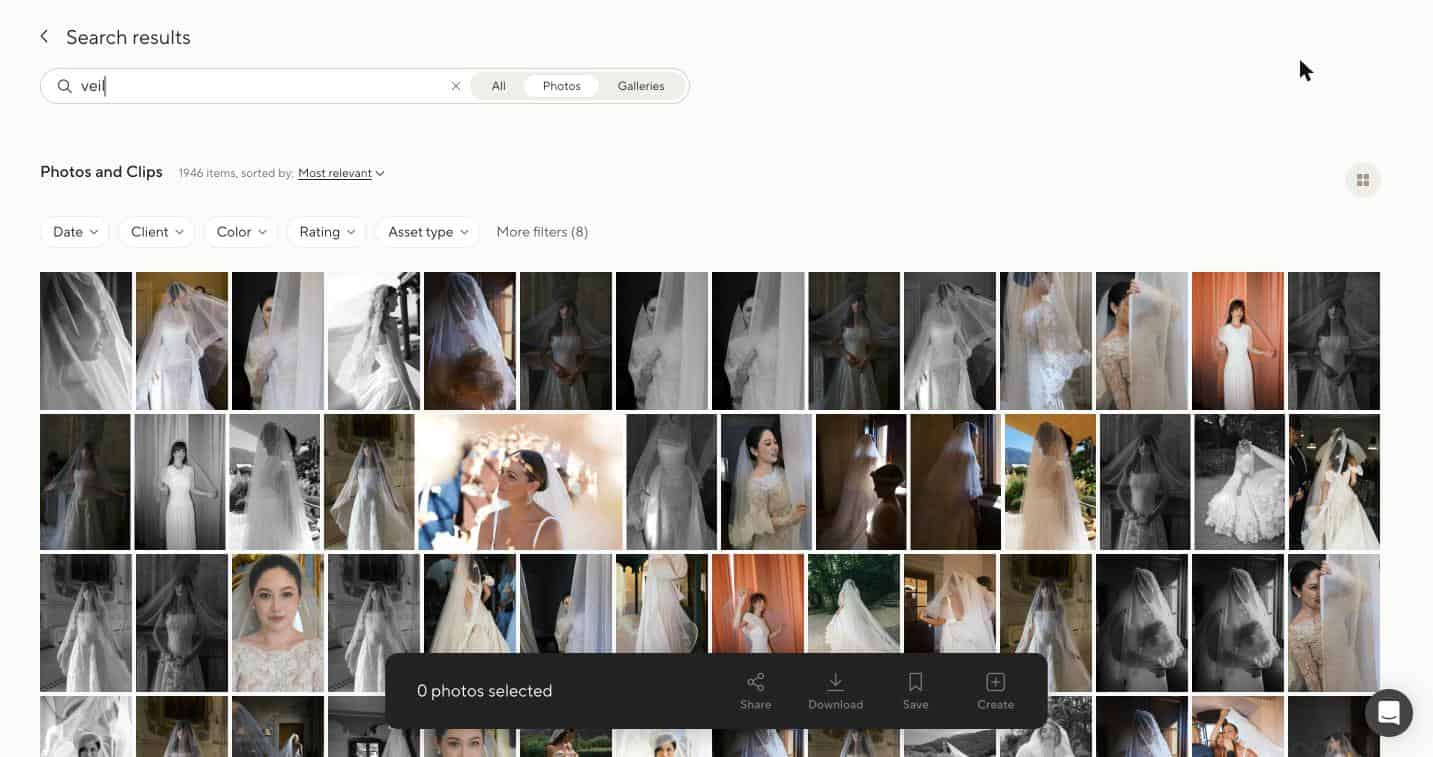
That’s the real power of it. You don’t have to remember which wedding had the good one, because you can see them all and pick super easily. And with everything side by side, you start to notice which photos only you would take and which ones any photographer could have taken. The first kind is what your feed should be full of.
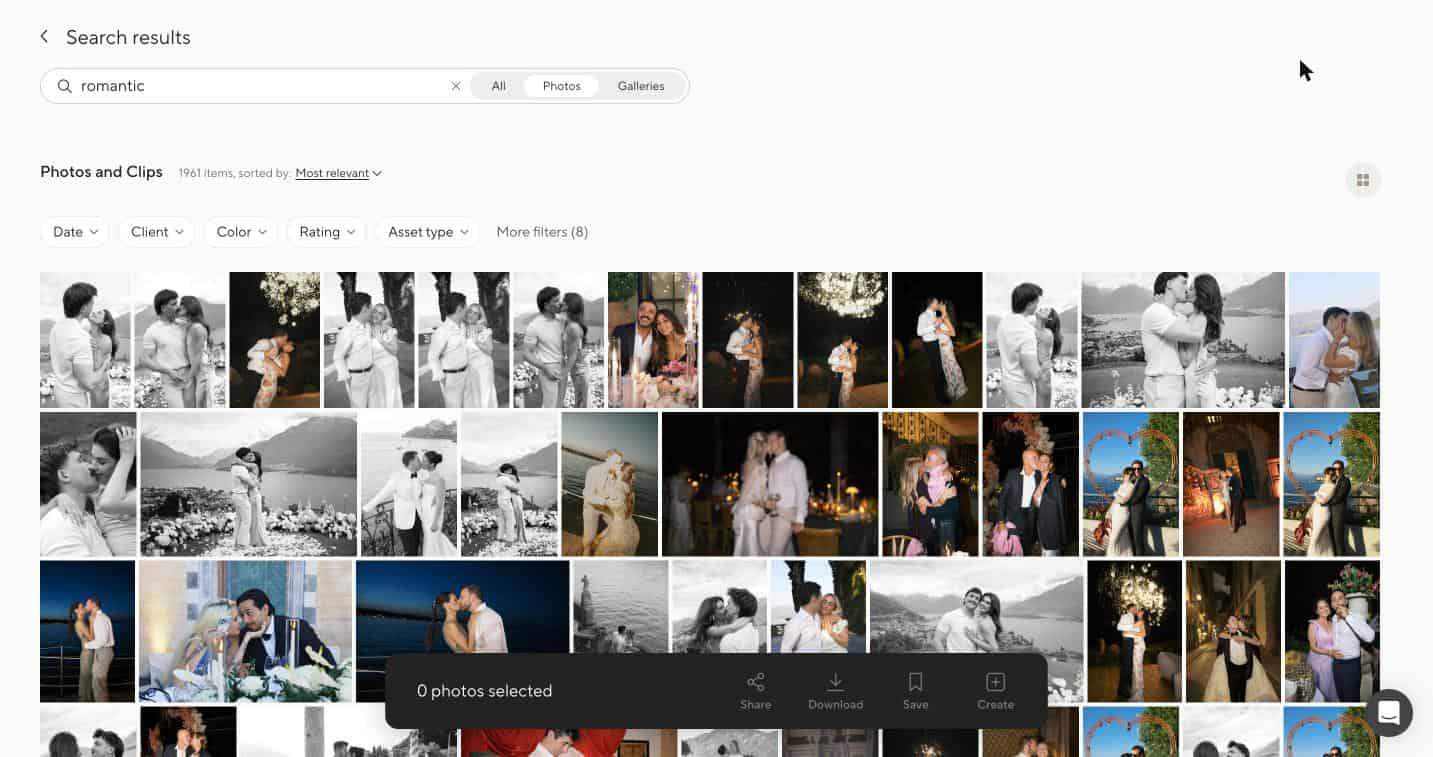
Then we tried a feeling instead of a thing. We searched “romantic” and it actually found romantic photos, which surprised us 😅
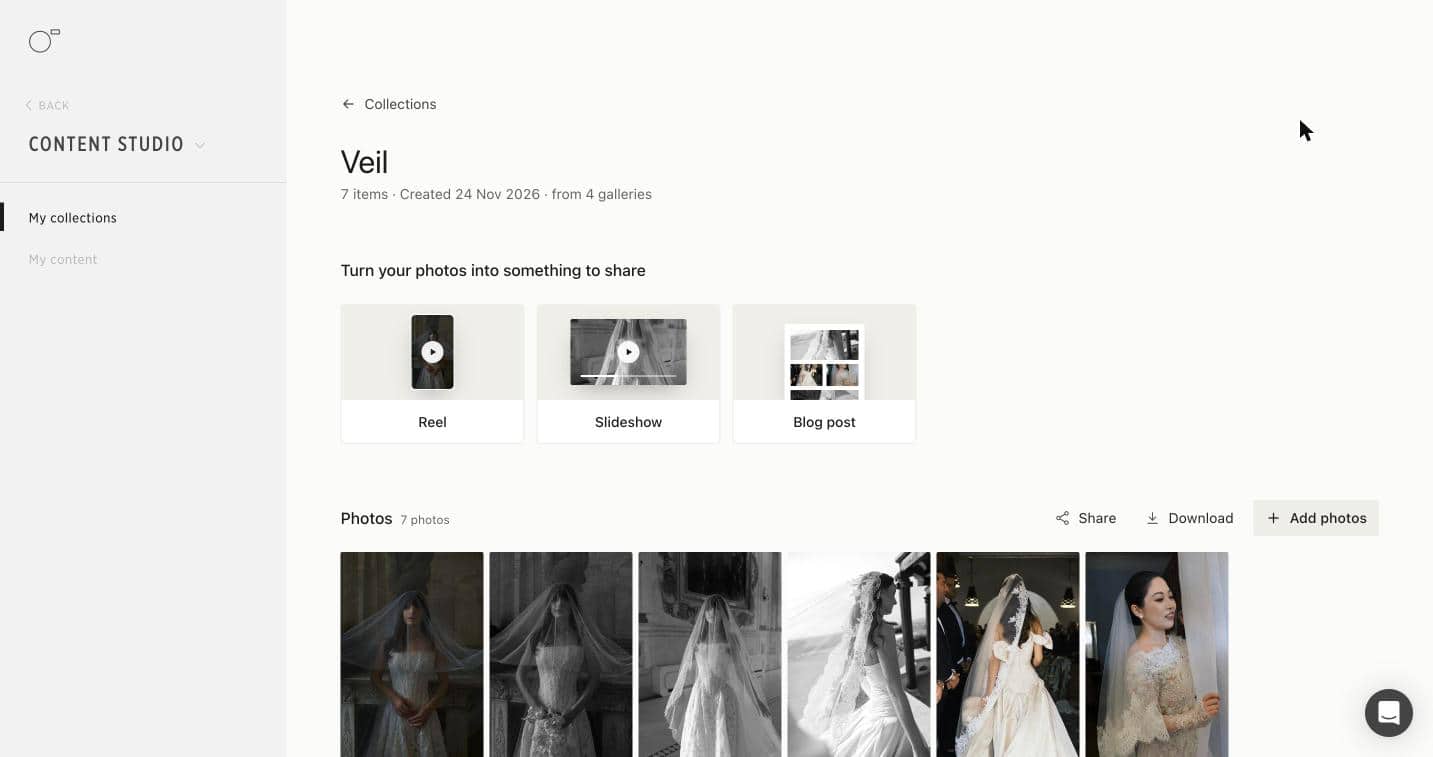
We saved our favorites into a collection and made a Reel from them.
What works well
- Search by word works well.
- Search by color works well too.
- Seeing every gallery on one screen makes picking easy.
- Collections keep your picks saved, so you can come back to them anytime.
What’s not there yet
- Searching a word and a color together. The results are eh at best, so use one or the other for now.
- The Reels. They’re OK, but they’re really visual collages, photos moving to music. A Reel for your feed needs a hook, something in the first second that makes the right person stop scrolling, and the tool doesn’t think about that. We’d use them for Stories, quick collages or something animated on your website.
What we’d love next
A way to connect it to our AI assistant (the tech word is MCP). Imagine typing “find 9 Lake Como photos for next week’s grid” and having them show up in your content planner. We’d build so many shortcuts with that. Pic-Time, if you’re reading this, consider it our wish list 😉
The search does the digging, you do the picking. Choosing which photos say “this is us” is still your job, and it’s what makes you different from the next photographer.
How to Use It: One Collection for Each Content Pillar
This is how we plan to fix our mess.
Content pillars are the few topics you post about again and again, so couples learn what you’re about. Most photographers keep them in their head or don’t have them at all. Once you write yours down, each one can become a collection you pull from all year.
Set it up once
- Pick 3 to 5 pillars. If you’re not sure where to start, use the 3 kinds of weddings from your portfolio check.
- Give each pillar 3 to 5 search words. Things in the photo work, like veil, boat or candles, and so do feelings like “romantic.” Some words work better than others, so keep the ones that find good photos.
- Search one thing at a time. A word or a color, not both.
- Save your picks into one collection per pillar. Name it after the pillar so it’s easy to find.
Use it every week
When it’s time to plan posts, open a collection, pick a photo and post it. One from each pillar and your week is planned. After every new wedding, add your favorites to the collections, so they stay fresh and you never have to dig through old galleries again.
5 Content Pillars and Reel Ideas for Wedding Photographers
Here’s an example using our world, destination weddings in Italy. Swap in yours.
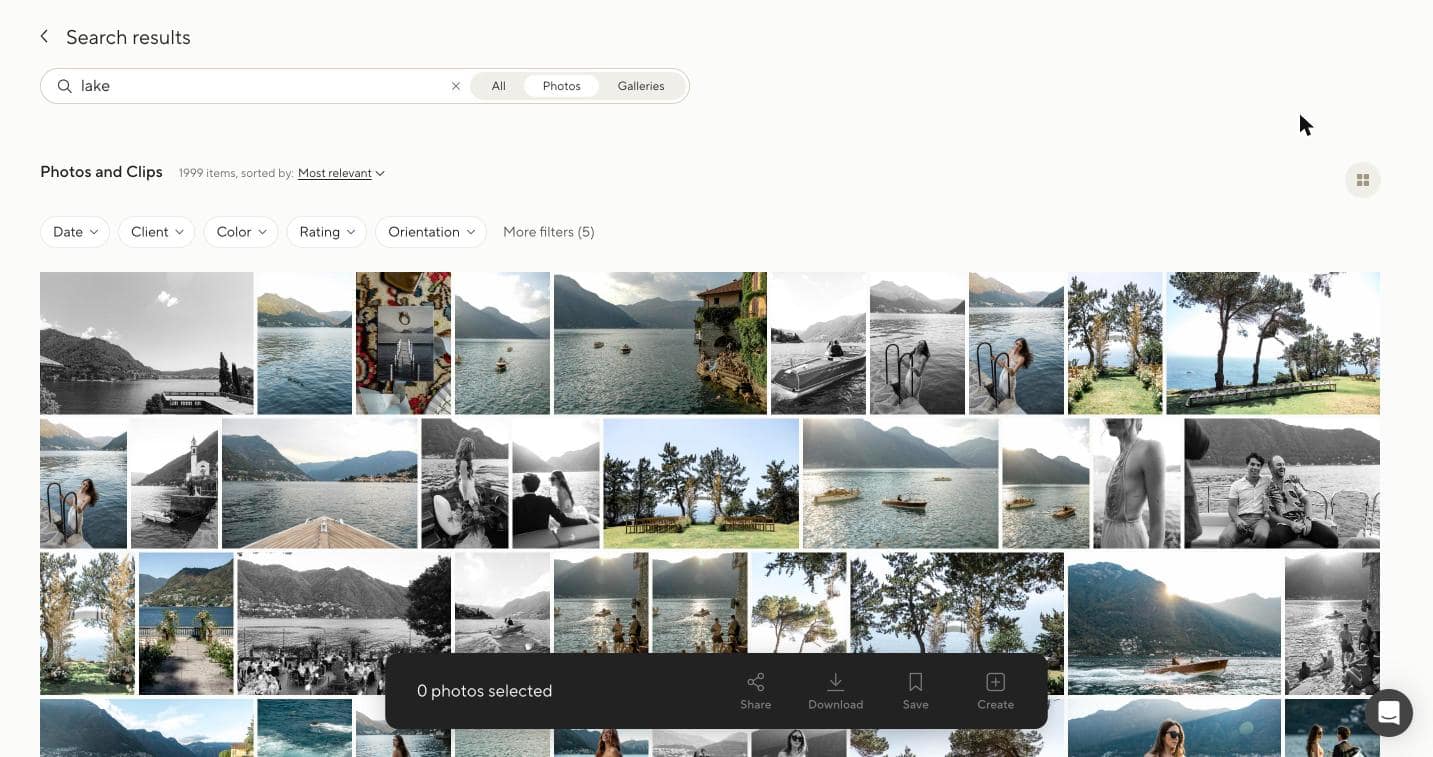
- The place: where you want to shoot more.
- Search: lake, villa, boat, church, garden
- Collection: “Lake Como”
- Reel hook: “Getting married on Lake Como? Here’s what your day could look like.”
- Real moments: how the day felt.
- Search: romantic, laughing, tears, hug, dancing, first look
- Collection: “Real moments”
- Reel hook: “What a first look really feels like, at 10 of our weddings.”
- The details: what made each wedding theirs.
- Search: veil, dress, rings, flowers, table
- Collection: “Details”
- Post idea: a carousel of veils from 10 different weddings. We have 1,946 to pick from 😅
- Your colors: what makes your grid look like one world.
- Search by color: the 1 or 2 colors you shoot most, like warm gold or soft blue
- Collection: “Our colors”
- Use it to plan your grid, so your next 9 posts look like they belong together.
- Your kind of couple: the people you’d shoot every weekend if you could.
- Search: the gallery names of your 5 favorite couples
- Collection: “Dream couples”
- Reel hook: “If you want your wedding to feel like a dinner party with friends, this is for you.”
- Bonus: put a couple’s kind words next to their photos. A review hits harder when you can see the wedding.
One pillar won’t be in your galleries, and that’s you. Behind the scenes, your story and you at work live on your phone, so keep an album there for them.
Before any collection becomes a Reel for your feed, add your hook as text on screen in Instagram when you post.
Collections can also turn into slideshows and blog posts. Couples search for venues by name, so one post about one wedding at a venue they love can bring them to your website for years. We haven’t tried the blog tool yet, and clearly our blog needs it 😅
Do It Before Engagement Season
Most couples get engaged between Christmas and Valentine’s Day, and then they start looking for a photographer. That’s why January gets so busy with inquiries.
Before they write to you, they look at your Instagram and your website. So December is the perfect time to fix what they’ll see. The season’s over and the photos are already shot, so all that’s left is finding them.
Our Honest Take, and Who Should Skip It
Content Studio is a cool first version, and the search is the reason to try it. Use the Reels for Stories for now, and add your own hook before anything goes on your feed.
We’re glad Pic-Time keeps making AI tools that are actually useful. Their guest search and AI album creator are two of our favorites, and we love both. So we expect Content Studio to get better with time, and we’re curious what they put out next.
If you’re happy with your gallery host and you already have a way to find old photos, keep it. The 20-minute check works without any new tool.
If you’re already on Pic-Time with the Professional or Advanced plan, Content Studio is included, so go try one search. It isn’t included on Beginner.
Pic-Time’s Black Friday Deal (Ends November 30)
If you’ve been thinking about switching, Pic-Time’s Black Friday sale runs until November 30. New subscribers get 30% off the annual Professional and Advanced plans, which are the ones with Content Studio. Beginner is 20% off but doesn’t include Content Studio.
Get the Pic-Time Black Friday deal
Want more? Here’s why we moved from Pixieset to Pic-Time and how we think about attracting the clients you actually want.
Ciao!
Lilly + Vic


